

When you search for a Lincoln Navigator for sale, you quickly find a lot of choices: three trims, two lengths, two seating layouts and a long list of packages. That can make a simple goal, finding the right full size SUV, feel complicated. This guide breaks the decision into clear steps for shoppers in Puyallup and the surrounding South Sound. By the end, you will know which questions to ask and which Navigator to test drive first.
What Makes the Navigator Different
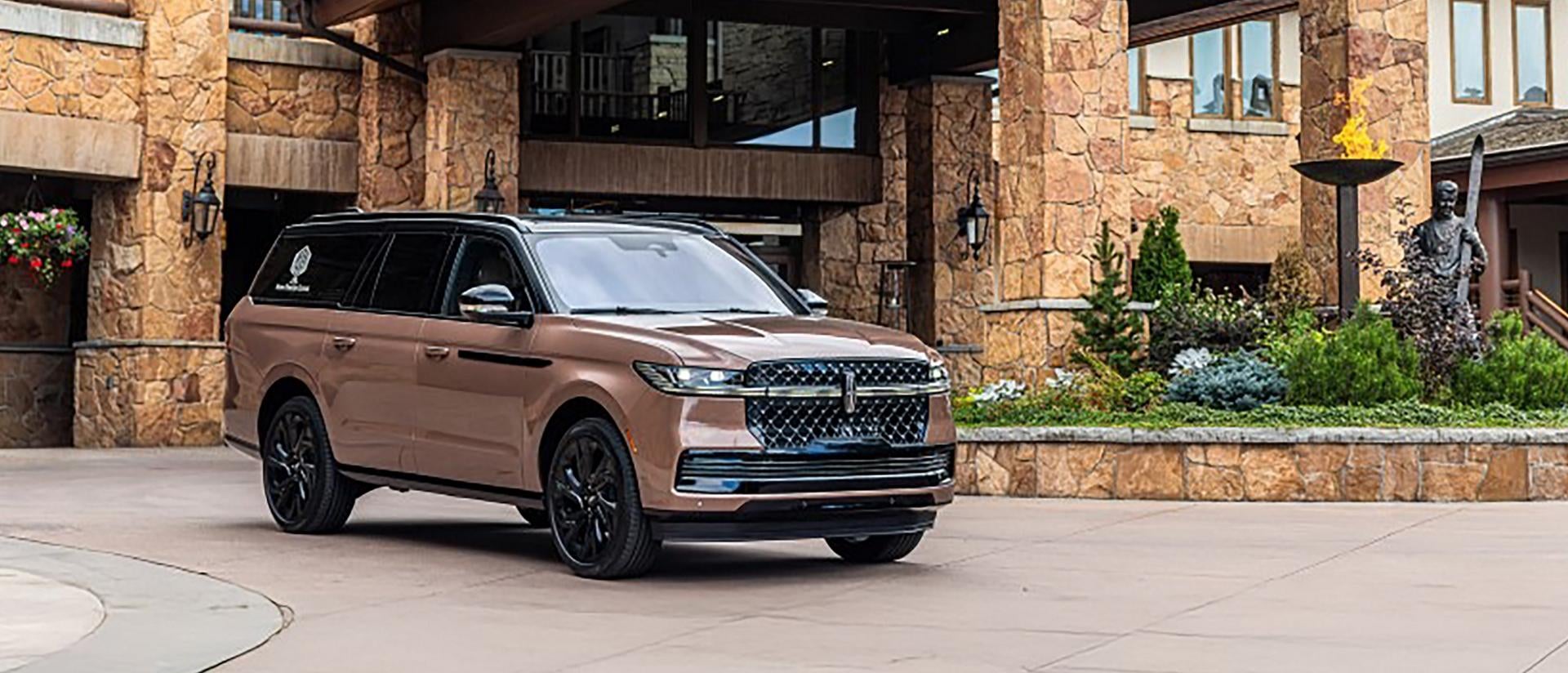
The Navigator is the largest SUV Lincoln builds. It is a true full size, three row vehicle with room for big families, long trips and serious towing. It also carries the most technology and comfort features in the Lincoln lineup.
The 2027 Navigator uses a twin turbocharged 3.5L V6 rated at 440 horsepower and 510 lb.-ft. of torque, according to Lincoln. It pairs that engine with a 10 speed automatic transmission. On the road, that combination means confident merging and passing, even when the cabin is full of people and bags.
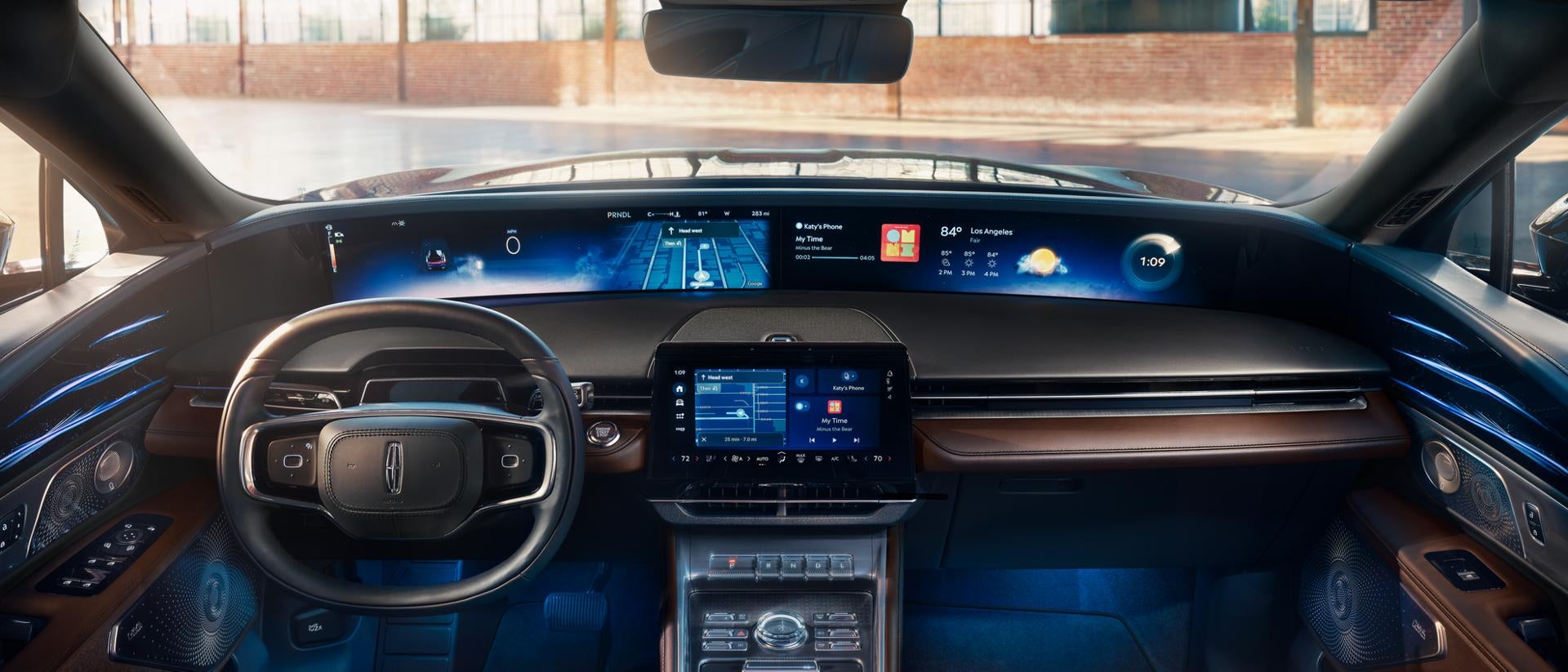
Inside, the dashboard is built around a 48 inch panoramic display that spans the full width, plus an 11.1 inch center display for touch controls. Lincoln BlueCruise, the brand's hands free highway driving system, comes standard on the 2027 Navigator with four years included. It works on designated highways that Lincoln calls Blue Zones.
Living with a Navigator in the South Sound. Think about how you really use a big SUV around here. Winter means rain, dark mornings and the occasional run up to the passes for snow. Summer means trips to the lake, the coast and camping spots across the state. A Navigator is built for that kind of mixed use. The tall seating position gives you a clear view over traffic, and the cabin stays calm on long drives. Four wheel drive is available, which many local owners choose for wet boat ramps, gravel roads to trailheads and winter trips to the mountains. If you mostly stay on city streets, ask whether a 4x2 model fits your needs, since it changes towing ratings and fuel use.
Step One: Choose Your Length
Every Navigator trim comes in two sizes: the standard model and the longer Navigator L. This choice affects daily life more than almost anything else, so it is a good place to start.
The standard Navigator. The standard length is already very roomy. Lincoln lists up to 107 cubic feet of cargo space in the standard wheelbase model with the second and third rows folded. It is easier to park, fits in more home garages and is simpler to maneuver in tight lots. If you use the third row a few times a month and do not pack it with luggage every trip, the standard length is likely enough.
The Navigator L
The L adds length behind the third row. Lincoln lists 37.4 cubic feet behind the third row and 84.5 cubic feet behind the second row in the Navigator L. That extra space is the difference between fitting a cooler, a stroller and seven backpacks, and having to choose. If your family fills every seat and still needs room for gear, the L makes sense.
A simple garage test. Before you choose the L, measure your garage. Note the depth from the door to the back wall and leave room to walk around the vehicle. A quick tape measure check at home can save you a daily headache later. If you park on the street or in a large driveway, length matters less.
Step Two: Pick a Seating Layout. The Navigator seats up to eight across three rows, with seven as the standard setup, according to Lincoln. The difference is the second row.
| Topic | Detail |
|---|---|
| Captain's chairs (seats seven) | Two individual seats in the second row with a walkway between them. Kids can reach the third row without folding anything, and each second row passenger gets their own space. |
| Bench seat (seats eight) | An available 40/20/40 PowerFold bench adds a middle seat. Lincoln offers it on the Premiere and Reserve models. |
If you carry three car seats, the bench may give you more flexibility. If you have teenagers who want their own space, or grandparents who climb into the third row, captain's chairs make that easier. Bring your actual car seats to the test drive and install them. It is the only way to know for sure.

Step Three: Compare the Trims
Lincoln offers the Navigator in Premiere, Reserve and Black Label trims, each in standard and L lengths. Here is a plain look at how they step up. Equipment can change by model year, so confirm details on any specific vehicle.
Premiere
Premiere is the starting point, and it is far from basic. Lincoln lists the 48 inch panoramic display, the 11.1 inch center display and the Lincoln Split Gate on Premiere. The Split Gate lets the upper glass section lift while the lower section folds down to make a flat surface. It is handy for tailgating at a game, loading small items or sitting in the back while you change shoes after a hike.
Reserve. Reserve is the middle trim and the one many shoppers end up choosing. It adds more comfort and convenience features on top of Premiere. Ask to compare a Premiere and a Reserve side by side so you can see exactly what you are getting for the step up. Focus on the features you will use every day, such as seats, audio and the driver assist features, rather than options that sound nice but rarely get used.
Black Label
Black Label is the top of the line. It brings special interior themes, the highest level of materials and extra ownership perks that Lincoln reserves for its Black Label owners. If the interior design and the ownership experience matter a lot to you, spend time in a Black Label and ask your salesperson to walk you through the extra services that come with it.
How to decide between trims. A good way to choose a trim is to list the features you will touch every day. For most drivers, that list includes the seats, the climate controls, the audio system, the driver assist features and the phone connection. Then check which trim gives you all of them without paying for extras you will rarely use. If a feature only matters once or twice a year, it probably should not drive your decision. On the other hand, if you spend hours a week behind the wheel, upgraded seats and audio can be worth a lot to you. Sit in each trim for at least ten minutes. Short visits rarely tell you how a seat feels on a long drive.
Step Four: Match the Navigator to Your Towing Needs. Many Navigator shoppers in the Puyallup area tow boats to the Sound, campers to the mountains or horse trailers to local fairs. The Navigator handles those jobs well, but the right setup matters.
Lincoln lists a maximum towing capacity of up to 8,700 lbs on the 2027 Navigator when properly equipped with the available Heavy Duty Trailer Tow Package on 4x4 models. Lincoln lists 4x2 models at 6,200 lbs for the standard length and 6,600 lbs for the Navigator L.
Towing tips before you buy
- Weigh your trailer loaded, with water, fuel and gear, not just its empty weight.
- Choose 4x4 if you tow heavy loads or launch a boat on slick ramps.
- Ask whether the vehicle you are looking at has the Heavy Duty Trailer Tow Package.
- Remember that passengers and cargo count against what the vehicle can safely handle.
If you are not sure what you need, bring the specs of your trailer with you. A salesperson can help you match it to a properly equipped Navigator.
Fuel use and daily driving. A full size SUV will never sip fuel like a compact car, and it helps to set honest expectations. Lincoln lists the 2027 Navigator at an EPA estimated 16 city, 23 highway and 18 combined MPG with the standard 4x2 drivetrain. Your results will depend on how and where you drive, and 4x4 models and heavy towing will change those numbers.
For daily driving, the Navigator's size is easier to manage than you might expect. The large mirrors, cameras and parking aids help in tight spots. Still, take it through a busy parking lot and a narrow street during your test drive. It is better to find out now how comfortable you feel than after you buy.
New or Pre Owned Navigator
Many shoppers looking for a Navigator also consider a pre owned one. A used or certified pre owned Navigator can be a good way to get full size Lincoln comfort with a few years already on the clock.
If you go that route, Lincoln's certified pre owned program is worth understanding. Lincoln lists two tiers. Signature vehicles are eligible up to five model years old with a maximum of 60,000 miles, and they get a 200 point inspection. Select vehicles are eligible up to seven model years old with a maximum of 80,000 miles, and they get a 139 point inspection. Ask which tier a specific vehicle falls under and what coverage comes with it.
For any used Navigator, ask for the vehicle history report and service records, check that the screens and power features all work, and drive it on the highway to listen for noises. Older Navigators may have a different engine, screen setup and feature list than the newest models, so compare carefully.
Questions to ask about a used Navigator
- Which model year is it, and which engine and screen setup does that year use?
- How many owners has it had, and was it ever used for towing?
- Are there service records showing regular oil changes and inspections?
- Does it have any open safety recalls? You can check the VIN at the federal recall site or ask the dealer to run it.
- Is it certified, and if so, which tier and coverage come with it?
Clear answers to these questions help you compare one used Navigator to another on equal terms. If a seller cannot answer them, take that as a reason to slow down.
Find a Lincoln Navigator for Sale in Puyallup
The best way to choose is to sit in a standard Navigator and a Navigator L back to back, then drive the one that feels right. At Korum Lincoln in Puyallup, you can compare trims and lengths in one visit. Browse our new Lincoln Navigator inventory to see what is on the lot, and look through our pre owned vehicles if you are open to a used model. Then call or stop by to schedule a test drive.
Before You Sign: A Short Checklist
Once you have narrowed it down, run through these final checks. Confirm the model year, trim, length, seating layout and drivetrain on the window sticker. Make sure the towing package matches your trailer. Ask which subscriptions and services are included and for how long. If you want help understanding your payment options, our finance center explains the process. And when it is time for maintenance, our Lincoln service department is right here in Puyallup to keep your Navigator ready for every trip.
For more, see the dealership's aboutus.aspx pages.
Helpful pages from the dealership include its specials, trade-in and test drive pages.
You can also see its certified pre-owned and credit application pages.
Frequently Asked Questions
How many people does the Lincoln Navigator seat?
Lincoln says the Navigator seats up to eight across three rows, with seven as standard. Second row captain's chairs seat seven. An available 40/20/40 bench raises capacity to eight on the Premiere and Reserve models.
What is the difference between the Navigator and the Navigator L?
The Navigator L is longer and adds cargo room behind the third row. Lincoln lists 37.4 cubic feet behind the third row in the L. The standard model is easier to park and fits more garages, so choose based on how often you fill every seat and need luggage space too.
How much can the Lincoln Navigator tow?
Lincoln lists the 2027 Navigator at up to 8,700 lbs when properly equipped with the available Heavy Duty Trailer Tow Package on 4x4 models. Lincoln lists 4x2 models lower, at 6,200 lbs for the standard length and 6,600 lbs for the L. Cargo and passengers affect what you can safely tow.
Does the Navigator have hands free driving?
Yes. Lincoln BlueCruise comes standard on the 2027 Navigator with four years included, according to Lincoln. It allows hands free driving on designated highways that Lincoln calls Blue Zones. You still need to watch the road at all times.
Sources (as of October 20, 2026)
- 2027 Lincoln Navigator (as of October 20, 2026)
- Lincoln Certified Pre-Owned Program | Kelley Blue Book (as of October 20, 2026)
Although every reasonable effort has been made to ensure the accuracy of the information contained on this site, absolute accuracy cannot be guaranteed. This site, and all information and materials appearing on it, are presented to the user "as is" without warranty of any kind, either express or implied. All vehicles are subject to prior sale. Price does not include applicable tax, title, and license charges. ‡Vehicles shown at different locations are not currently in our inventory (Not in Stock) but can be made available to you at our location within a reasonable date from the time of your request, not to exceed one week.